Company Asset Management
When a startup grows, you begin issuing expensive laptops, monitors, and company smartphones to your employees. When someone leaves, forgetting to collect a $2,000 MacBook is a painful mistake. UniTrack's Asset Management tracks every physical item and software license your company owns, explicitly records who holds each item with condition documentation, and manages the full lifecycle from purchase to retirement.
1. The Assets Dashboard
A centralized hub for managing your organization's physical and digital resources.
- 1Overview Metrics
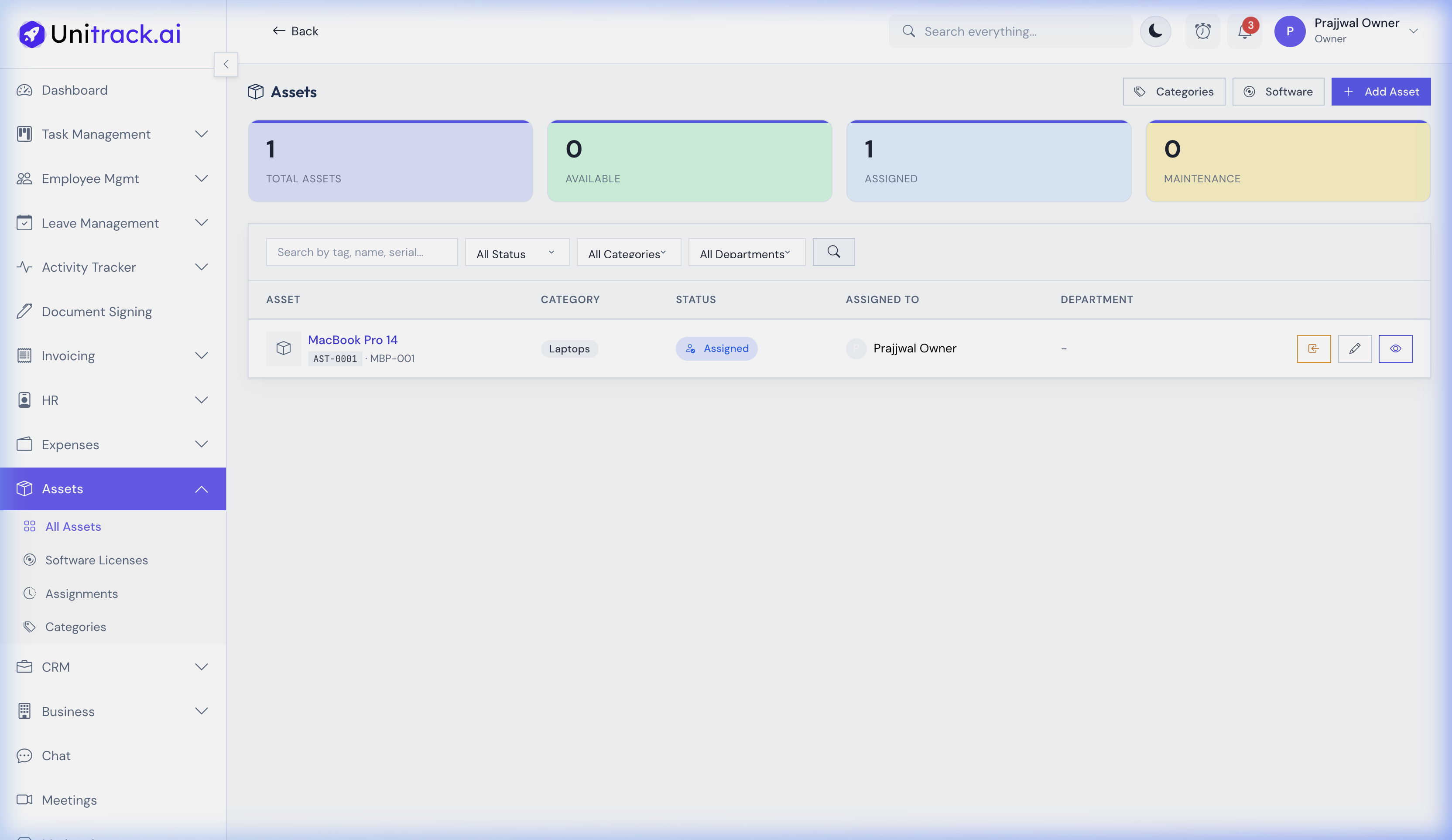
Navigate to Assets → All Assets. The dashboard provides a visual summary with cards showing Total Assets, Available, Assigned, and those In Maintenance.
- 2Inventory Management
The main list displays all assets, including their names, categories (like Laptops or Monitors), current status, and the employee they are assigned to. You can quickly filter this list to find what you need.
2. Tracking software & subscriptions
Manage your software licenses alongside your physical hardware.
- 1Software Inventory
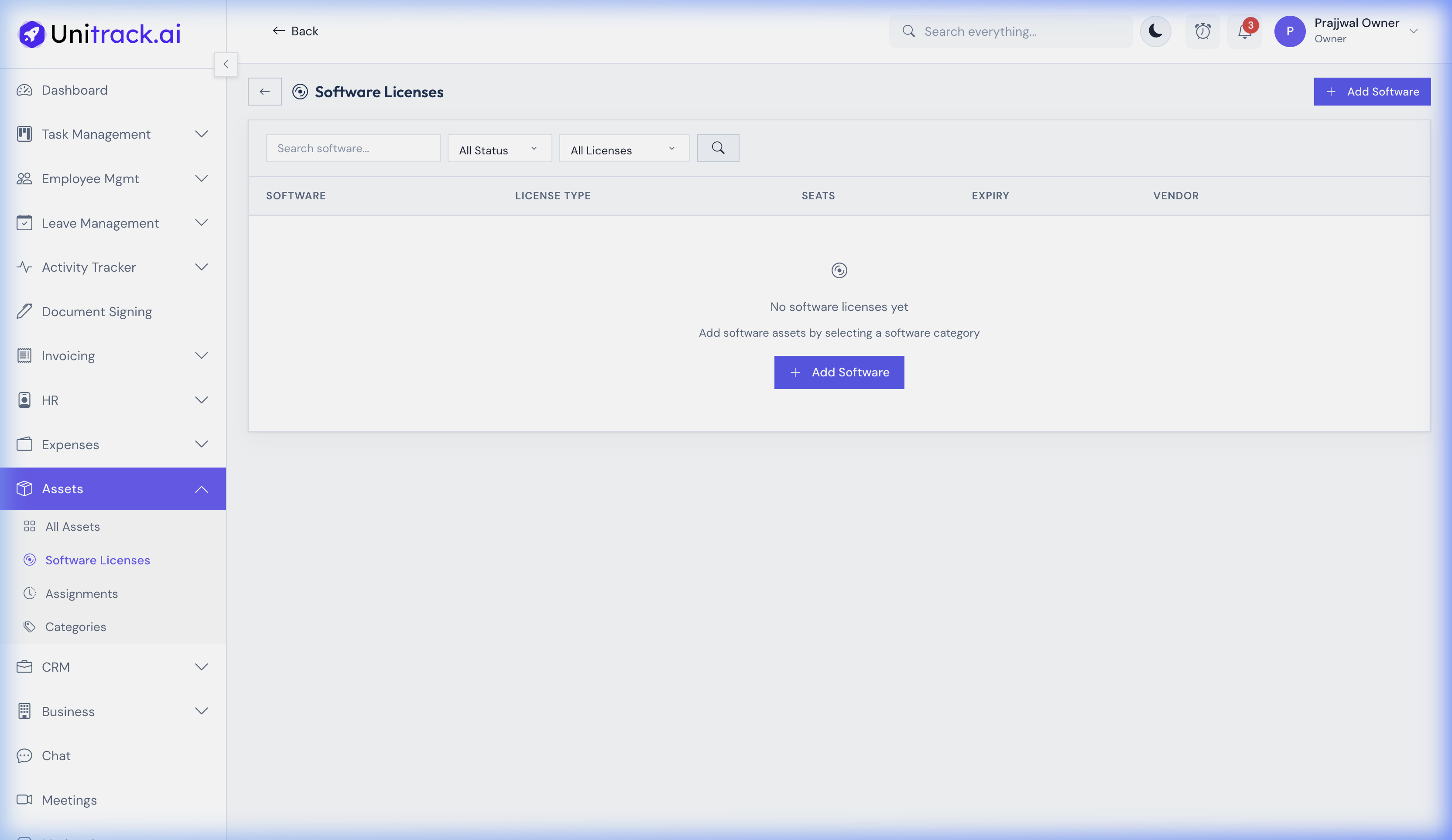
Go to the Software Licenses view to specifically track digital assets. The system logs the software name, category, license keys, and essential vendor details.
- 2License Lifecycle
Track subscription types, seat allocations, and expiry dates to ensure your team never loses access to critical tools and you don't overpay for unused seats.
3. Asset Assignment & History
Maintain a strict chain of custody for every piece of expensive hardware.
- 1Asset Details
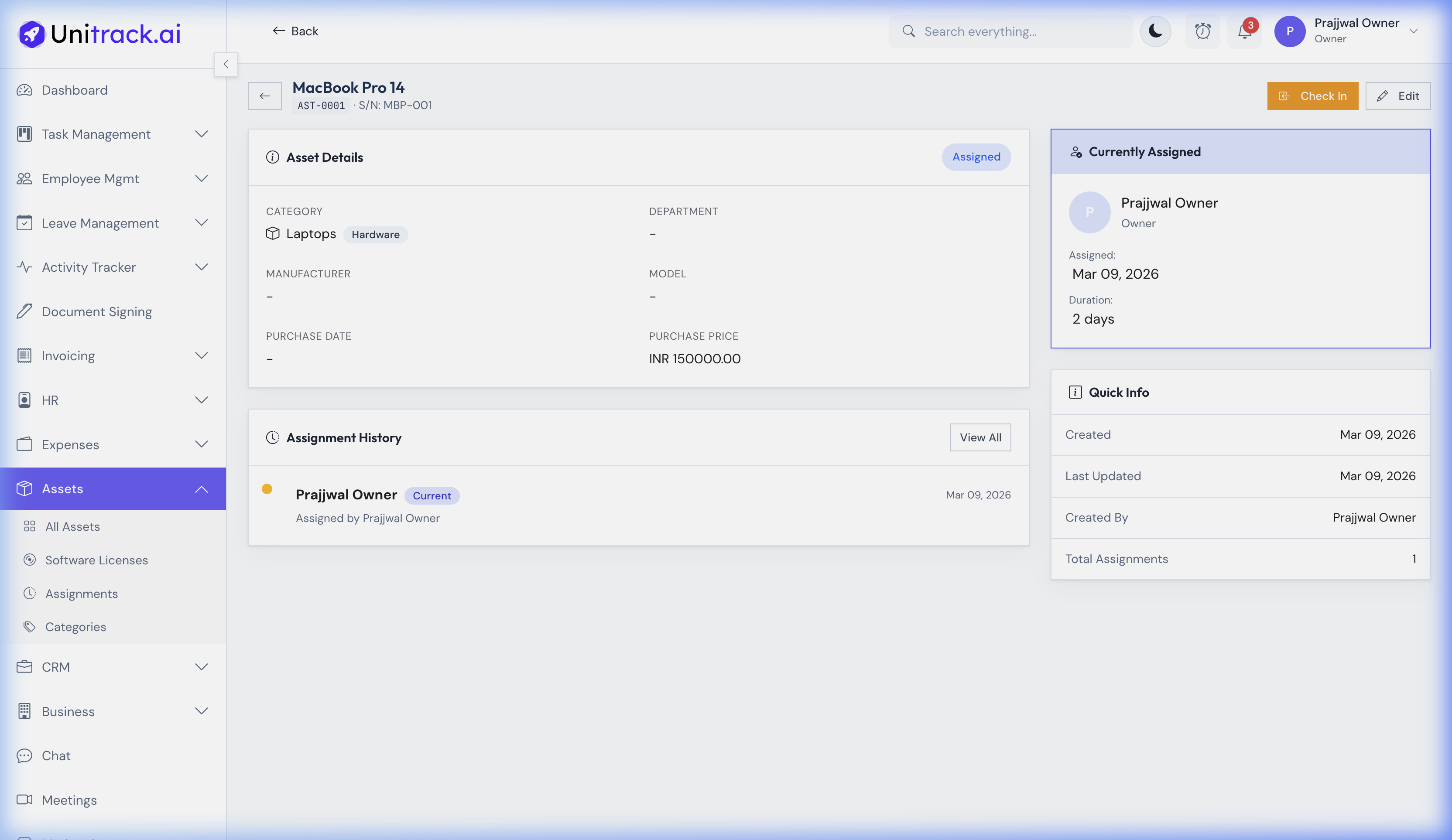
Clicking into any asset (e.g., MacBook Pro 14) opens its detail page. Here you can see specific metadata like the Asset Tag, Serial Number (S/N), manufacturer, and purchase price.
- 2Check In & Check Out
Use the action buttons to Check Out an available asset to an employee, or Check In an assigned asset back to the inventory when they leave or upgrade.
- 3Assignment Log
The "Assignment History" log at the bottom of the page provides a complete audit trail, documenting every time the asset changed hands throughout its lifecycle in the company.